A wrong clock in your Kia may seem like a small issue, but it can affect more than the time shown on the dashboard. Your infotainment system may use the clock for trip planning, navigation arrival times, scheduled maintenance reminders, phone connections, and media display settings. If the time is off after a battery replacement, daylight saving time change, software update, or travel across time zones, it is worth fixing right away.
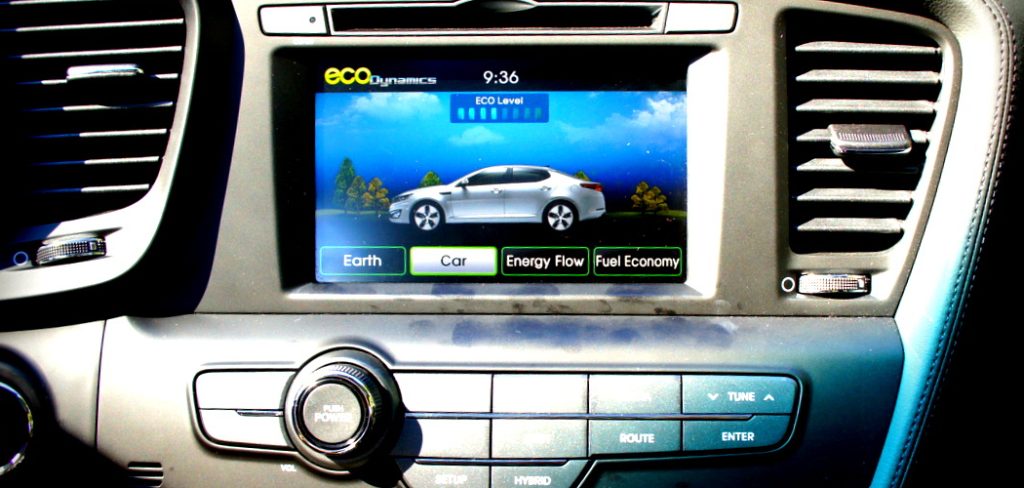
If you are searching for how to change kia clock with touchscreen, the good news is that most newer Kia models make the process simple. You can usually adjust the time through the infotainment screen without tools or mechanical experience.
This guide explains why the clock matters, how to find the right settings, how to adjust the hour and minute, and what to do if automatic time settings do not work as expected.
Why Keeping Your Kia Clock Accurate Matters
An accurate Kia clock helps your daily drive feel smoother and more reliable. It keeps navigation estimates, appointment timing, phone syncing, and infotainment features aligned. It also prevents confusion when daylight saving time starts or ends. If your Kia supports GPS time, automatic time zones, or connected services, the correct clock setting can help those features work properly. A few quick adjustments can make the system easier to use and reduce small but frustrating timing errors.
Step-By-Step Guide To How To Change Kia Clock With Touchscreen
Step 1: Park Safely Before Using The Screen
Before changing any touchscreen setting, park your Kia in a safe place. Put the vehicle in park, set the parking brake if needed, and avoid making changes while driving. Even simple menu changes can distract you from the road.
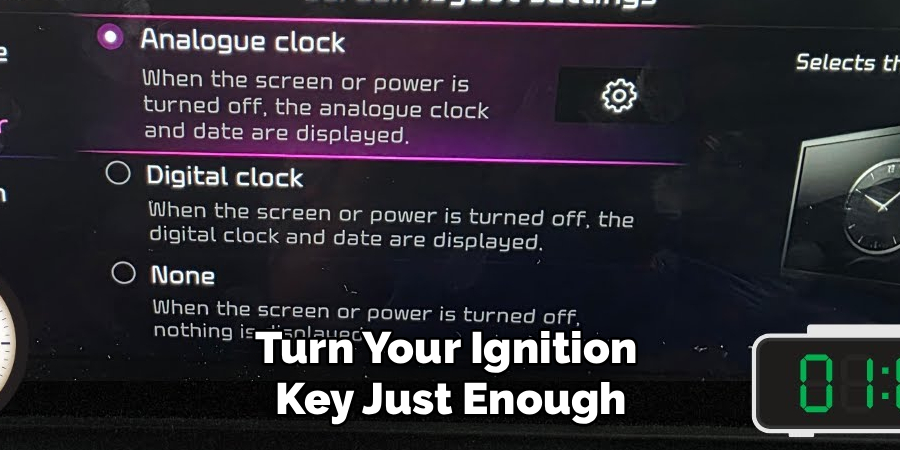
Keep the engine running or switch the ignition to accessory mode so the touchscreen stays on. Some Kia models may shut the system down after a short time if the ignition is off. A steady power source prevents the screen from turning off before you finish.
Once the display is active, wait for the home screen to fully load.
Step 2: Open The Main Settings Menu
From the home screen, look for the settings icon. It often appears as a gear symbol, though the exact layout can vary by Kia model and model year. You may see it on the main screen, inside an “all menus” page, or along the lower menu bar.
Tap the icon once and let the settings page open. If the screen responds slowly, avoid tapping repeatedly because that can open the wrong menu.
This is the main starting point for how to change kia clock with touchscreen, because nearly all time controls are stored inside the vehicle’s system settings.
Step 3: Find The Date And Time Section
Inside the settings menu, look for a section labeled “date/time,” “clock,” “time,” or “general.” Kia infotainment systems are not identical, so the clock setting may be placed under different menu names.
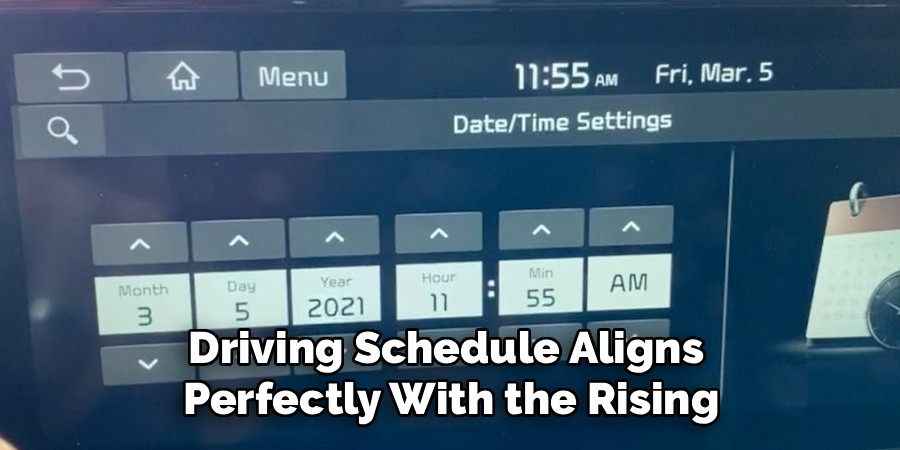
If you do not see it right away, check the general settings area first. Many Kia touchscreens group language, keyboard, units, date, and time under one general menu.
Tap the date or time option when you find it. This should open a screen where you can view the current clock format, time source, time zone, and manual adjustment controls.
Step 4: Turn Off Automatic Time If Needed
Some Kia models use GPS, navigation data, or connected services to set the clock automatically. This feature is helpful when it works correctly, but it may prevent you from changing the time manually.
Look for options such as “GPS time,” “automatic time,” “use network time,” or “auto time zone.” If manual controls are grayed out, turn the automatic setting off first.
After you disable automatic time, the hour and minute fields should become available. If your Kia has navigation and the GPS time is accurate, you may prefer to leave automatic time on instead of setting the clock by hand.
Step 5: Adjust The Hour And Minute
Once manual time adjustment is available, use the touchscreen controls to change the hour and minute. Some systems use plus and minus buttons, while others use up and down arrows or a scrolling number selector.
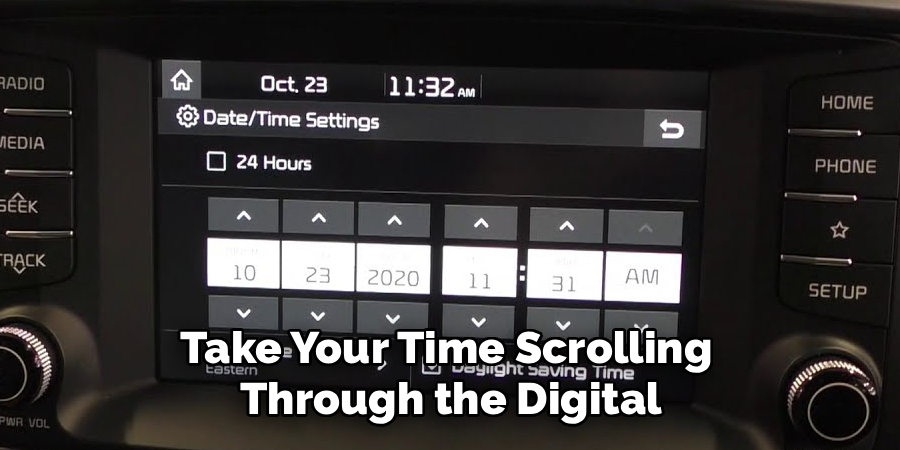
Move slowly and confirm whether the system is using a 12-hour or 24-hour format. If it uses a 12-hour format, make sure AM or PM is correct. This is one of the most common mistakes drivers make when setting the clock.
After the numbers look right, pause for a moment and check the display before saving.
Step 6: Set The Time Format And Daylight Saving Option
Many Kia touchscreens let you choose between 12-hour and 24-hour clock formats. The 12-hour format shows AM and PM, while the 24-hour format uses military-style time. Choose the one that feels easiest for you to read while driving.
You may also see a daylight saving time option. If your region observes daylight saving time, turn it on during the correct part of the year. If your area does not use it, leave it off.
These small settings matter because the clock can look correct at first but still be off by one hour.
Step 7: Save The Changes And Return Home
After setting the time, look for a save, apply, or done button. Some Kia systems save changes automatically when you leave the screen, but others need confirmation. If you are unsure, press the back button once and check whether the clock stays correct.
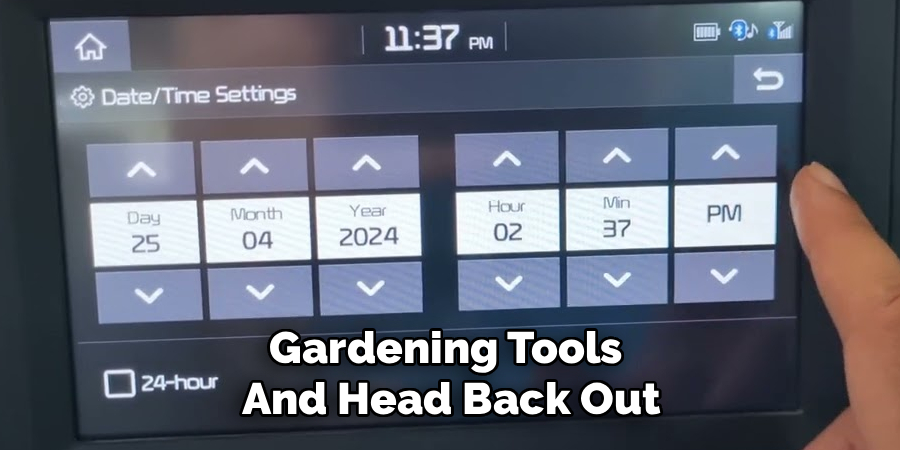
This step is important when learning how to change kia clock with touchscreen because skipping the save action can cause the old time to return after restarting the vehicle.
Return to the home screen and look at the clock display. If it shows the correct time, turn the vehicle off and back on to make sure the setting remains stored.
Step 8: Check The Clock After Restarting
Once the time is set, restart your Kia to confirm the change worked. Turn the vehicle off, wait a few seconds, then turn it back on. Watch the infotainment screen as it loads and check the clock again.
If the time remains correct, the update is complete. If it changes back, automatic GPS time, daylight saving time, or a weak vehicle battery may be affecting the setting.
You should also check the instrument cluster if your Kia displays the time there. In many models, the touchscreen clock and dashboard clock sync automatically, but some systems may take a few seconds to update.
Frequently Asked Questions
Why Is My Kia Clock Wrong After Replacing The Battery?
A battery replacement can reset your Kia’s electronic settings, including the clock. When power is disconnected, the infotainment system may lose saved time data and return to a default setting. In most cases, you only need to reset the time through the touchscreen settings menu. If the clock keeps resetting after you change it, the vehicle may have a battery, fuse, or software issue that needs further inspection.
Can My Kia Set The Clock Automatically?
Many newer Kia models can set the clock automatically using GPS, navigation data, or connected services. If this feature is available, you can usually find it in the date and time settings. Automatic time is convenient because it can adjust for time zones and may reduce manual changes. However, if the displayed time is wrong, check the time zone and daylight saving settings before turning the feature off.
Why Are The Clock Settings Grayed Out?
Clock settings may appear grayed out when automatic time is turned on. The system blocks manual changes because it is using GPS or network data as the time source. To edit the time yourself, turn off automatic time, GPS time, or similar options in the date and time menu. If the controls remain unavailable, restart the infotainment system or check whether the vehicle needs a software update.
Does The Process Work For All Kia Models?
The basic process is similar for many Kia vehicles with touchscreens, but menu names and screen layouts can vary. A Kia Sportage, Sorento, Telluride, Forte, K5, Soul, or Seltos may use slightly different labels depending on model year and infotainment version. If you cannot find the clock menu, look under settings, general, setup, or date/time. Your owner’s manual can also point you to the exact menu path.
Why Is My Kia Clock Off By One Hour?
A clock that is off by exactly one hour is usually related to daylight saving time or time zone settings. Open the date and time menu and check whether daylight saving time is turned on or off correctly for your location. If your Kia uses automatic time, also confirm the time zone setting. Once those options match your region, the clock should display the correct hour.
Conclusion
Changing the clock in a Kia with a touchscreen is usually quick once you know where to look. Start by parking safely, open the settings menu, find the date and time section, then choose automatic or manual adjustment based on your needs. Be sure to check AM or PM, daylight saving time, and the time format before saving.
If the time does not stay correct, review the automatic time source, GPS settings, and battery condition. Now that you know how to change kia clock with touchscreen, take a minute to update it so your navigation, display, and daily schedule stay accurate.

About
Ora Hayes is a distinguished figure in the world of DIY Thecarfixes, with over a decade of expertise in automotive diagnostics and high-performance maintenance. Her professional focus lies in merging mechanical precision with modern digital tools, fostering repair solutions that are both cost-effective and highly reliable. As the author of Thecarfixes, Ora Hayes delves into the art and science of automotive restoration, inspiring car owners and hobbyist mechanics alike.
Education
RMIT University (Melbourne, Australia) Associate Degree in Automotive Engineering — Focus on vehicle dynamics, industry-driven repair protocols, and advanced diagnostics. Gained hands-on experience with traditional mechanical tools and modern ECU remapping software.
Nottingham Trent University (United Kingdom) Bachelor’s in Mechanical Design and Automotive Engineering (Honors) — Specialized in automotive systems with a focus on blending technical engineering with everyday usability. Participated in industry projects, working with leading automotive manufacturers to gain real-world insights into vehicle longevity.
Publications and Impact
In Thecarfixes, Ora Hayes shares her insights on troubleshooting complex engine issues, material durability, and strategies for efficient garage setups. Her writing bridges the gap between professional mechanic knowledge and the home enthusiast’s needs, making it a must-read for both everyday drivers and seasoned gearheads.