A Toyota smart key is convenient, but there are times when you may want to reduce or stop its wireless signal. Maybe you are storing a spare key, trying to save the fob battery, or taking extra steps to protect your vehicle security. If you are searching for how to turn off toyota key fob, this guide explains the process in a simple, beginner-friendly way.
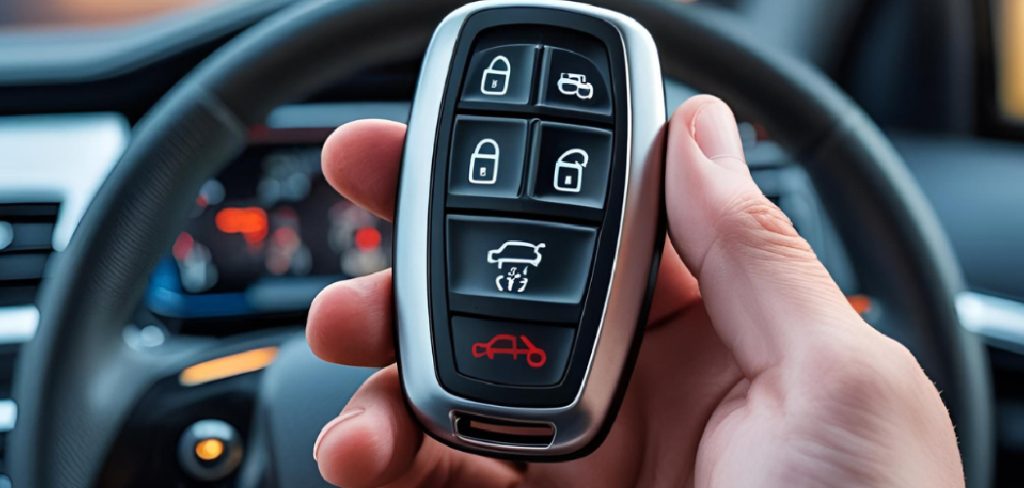
You will learn what Toyota key fob shutoff usually means, when it helps, and how to use the common battery saver method found on many Toyota smart keys. You will also learn when to check your Toyota owner’s manual, what signs to watch for, and how to turn the signal back on when you need the fob again.
Why You Might Need To Disable A Toyota Key Fob
Disabling a Toyota smart key signal can be useful in several everyday situations. If you keep a spare fob at home, reducing its remote signal may help limit unnecessary battery drain. It can also add a layer of protection when the key is stored near your parked vehicle.
Some owners use this feature while traveling, storing a vehicle, or leaving a fob in a safe place for long periods. It may also help if you are concerned about proximity key signals being detected nearby. While this is not a replacement for strong vehicle security habits, it is a smart, simple step that many beginners can learn quickly.
Step-By-Step Guide: How To Turn Off Toyota Key Fob
Step 1: Confirm You Have A Toyota Smart Key
Start by checking whether your Toyota uses a smart key or a traditional remote key. A smart key usually lets you unlock the door by touching the handle and start the vehicle with a push-button start system. A standard remote may only lock and unlock the doors with buttons. This guide focuses on Toyota smart key behavior because the signal-saving feature is usually tied to proximity key systems. If your key has a removable metal emergency key inside and works without being inserted into the ignition, you likely have a smart key.
Step 2: Move Away From The Vehicle
Stand several feet away from your Toyota before changing key fob settings. This helps you avoid accidentally locking, unlocking, or waking up the vehicle while you press buttons. It also gives you a better way to test whether the remote signal changes after the process. Choose a quiet spot where you can focus on the lock button and unlock button without rushing. If you are in a parking lot, stay aware of traffic and keep the key secure in your hand so you do not drop it.
Step 3: Find The Lock And Unlock Buttons
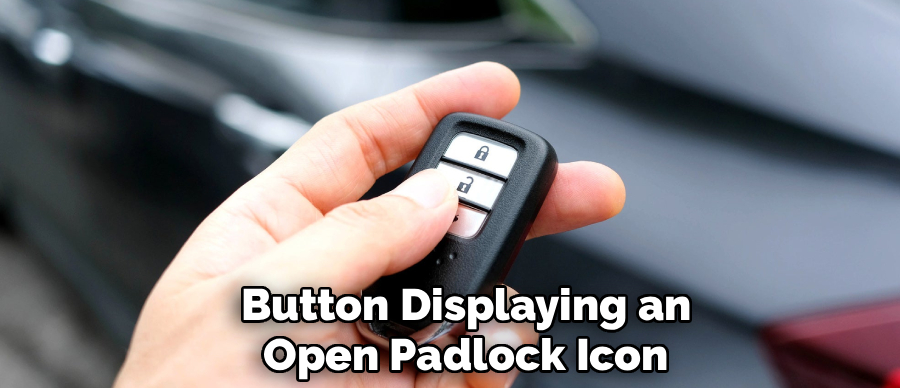
Look closely at the face of the key fob and identify the lock button and unlock button. The lock button often shows a closed padlock symbol, while the unlock button shows an open padlock symbol. Do not press the panic button during this process, since it may sound the horn or alarm. If your fob has a worn case or faded icons, compare it with an image in your Toyota owner’s manual. Taking a few seconds here prevents confusion and helps you perform the button sequence correctly.
Step 4: Press And Hold The Lock Button
Press and hold the lock button firmly with your thumb. Keep steady pressure on it, but do not press so hard that the button feels forced. On many Toyota smart keys, the lock button acts as the starting point for battery saver mode. Holding it tells the fob you are about to enter a special button sequence instead of simply locking the doors. If you release it too soon, the sequence may not work. Stay patient and keep the fob still while moving to the next step.
Step 5: Press The Unlock Button Twice
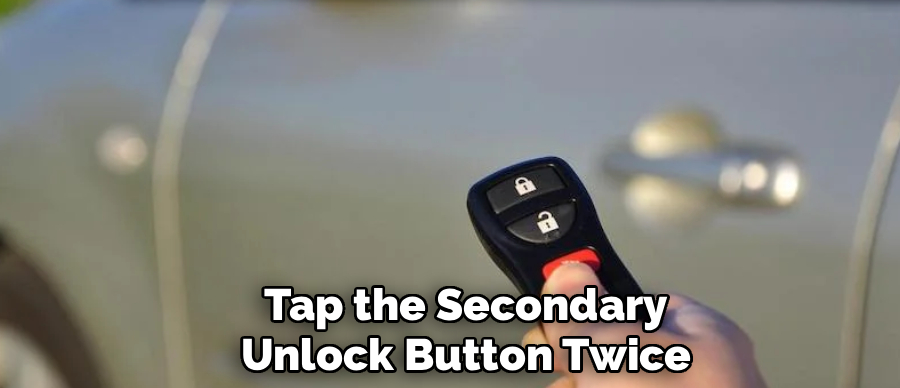
While still holding the lock button, press the unlock button two times. Use clear, separate presses rather than a rushed tap. After the second press, many Toyota smart keys will flash an indicator light several times. That light is a helpful sign that the fob has accepted the command. Knowing how to turn off toyota key fob signals correctly comes down to this simple button sequence on many models. If you do not see a light, repeat the steps slowly and make sure you are pressing the correct buttons.
Step 6: Watch For The Indicator Light
After the button sequence, check the small LED light on the key fob. Many Toyota smart keys flash the light four times when battery saver mode is activated. This flash pattern can vary, but it is often the easiest confirmation that the remote signal has been reduced. If the light does not flash, your fob battery may be weak, your model may use a different process, or the button timing may have been slightly off. Try again once, then check your Toyota owner’s manual if nothing changes.
Step 7: Test The Proximity Function
Now test the fob without pressing any buttons. Walk near the vehicle with the smart key and try using the door handle sensor as you normally would. If the battery saver mode is active, the vehicle may not respond to the proximity key signal. This is a good sign that the fob is no longer sending the same wireless signal. Do not worry if the physical buttons still work on some models. Toyota systems can differ, and the main goal is usually to reduce passive signal activity.
Step 8: Store The Fob In A Safe Place
Once the signal-saving mode appears active, store the fob somewhere secure. A drawer, safe, or key storage box can work well for a spare key. Keep it away from moisture, heat, and heavy objects that could press the buttons by accident. If your goal is vehicle security, avoid leaving the fob close to the car, especially near an outside wall or garage door. Good storage habits protect the fob battery, reduce signal exposure, and help prevent accidental button presses while the key is not being used.
Step 9: Reactivate The Fob When Needed
When you need to use the smart key again, press any button on the fob, such as lock or unlock. On many Toyota models, this wakes the key from battery saver mode and restores normal operation. Test the keyless entry system by unlocking the vehicle and checking whether the push-button start recognizes the fob. If the car does not respond right away, hold the key close to the start button and try again. A weak fob battery can also cause slow or inconsistent response.
Common Mistakes To Avoid When Disabling The Fob Signal
One common mistake is assuming every Toyota key fob works the same way. Toyota smart key systems are similar across many models, but the exact behavior can vary by year, trim level, and market. If the light pattern or response seems different, check the Toyota owner’s manual for your exact vehicle.Another mistake is pressing the panic button by accident. This can startle you, trigger the alarm, and make the process feel more confusing than it really is. Work slowly and confirm the button icons before you begin.
Some beginners also forget that battery saver mode is not the same as removing the fob battery. If the fob battery is very weak, disabling the signal will not fix a failing battery. Replace the battery if the range becomes poor, the buttons respond slowly, or the dashboard shows a key battery warning.Finally, do not rely on one feature alone for vehicle security. Store keys away from doors and windows, lock the vehicle, and use common-sense parking habits.
Frequently Asked Question
Does Battery Saver Mode Work On Every Toyota Key Fob?
Not every Toyota key fob uses the same battery saver process. Many smart key models support a lock-and-unlock button sequence, but older remotes or non-smart keys may not. Your Toyota owner’s manual is the best place to confirm the feature for your exact model. If your fob does not flash or respond as expected, it may use a different method or not support this function.
Will Disabling The Smart Key Signal Stop The Car From Starting?
In many cases, battery saver mode reduces the fob’s passive wireless signal, but it does not permanently disable the key. Once you reactivate the fob, the vehicle should recognize it again. If the fob battery is weak, you may need to hold the key near the start button. Toyota vehicles often include a backup recognition method for low-battery situations.
Can I Still Use The Mechanical Key Inside The Fob?
Yes, the mechanical emergency key usually remains usable because it does not depend on a wireless signal or fob battery. You can often slide it out of the smart key case and use it to unlock the driver’s door. However, the alarm may sound on some vehicles if the electronic key is not recognized right away. Check your manual for the correct emergency entry process.
Why Would My Key Fob Battery Drain So Quickly?
A fob battery may drain faster if the key is stored close to the vehicle, where it keeps communicating with the car. Frequent button presses, age, temperature changes, and a low-quality replacement battery can also reduce battery life. If the range becomes shorter or the LED looks weak, replace the battery with the correct type listed in your owner’s manual.
Is A Faraday Pouch Better Than Battery Saver Mode?
A Faraday pouch blocks wireless signals by surrounding the fob with signal-blocking material. Battery saver mode reduces the smart key’s own signal behavior on supported models. Both can help, but they work differently. Some owners use both for extra peace of mind, especially when storing a spare key near the vehicle. If you use a pouch, test it to make sure the vehicle cannot detect the fob.
Conclusion
Turning down a Toyota smart key signal is a simple skill that can help save fob battery life and support better vehicle security habits. The key steps are to confirm you have a smart key, hold the lock button, press unlock twice, watch for the indicator light, and test the proximity function.
Now that you know how to turn off toyota key fob, you can try the process with more confidence. Work slowly, check your Toyota owner’s manual if your model responds differently, and remember to reactivate the fob before your next drive.

About
Ora Hayes is a distinguished figure in the world of DIY Thecarfixes, with over a decade of expertise in automotive diagnostics and high-performance maintenance. Her professional focus lies in merging mechanical precision with modern digital tools, fostering repair solutions that are both cost-effective and highly reliable. As the author of Thecarfixes, Ora Hayes delves into the art and science of automotive restoration, inspiring car owners and hobbyist mechanics alike.
Education
RMIT University (Melbourne, Australia) Associate Degree in Automotive Engineering — Focus on vehicle dynamics, industry-driven repair protocols, and advanced diagnostics. Gained hands-on experience with traditional mechanical tools and modern ECU remapping software.
Nottingham Trent University (United Kingdom) Bachelor’s in Mechanical Design and Automotive Engineering (Honors) — Specialized in automotive systems with a focus on blending technical engineering with everyday usability. Participated in industry projects, working with leading automotive manufacturers to gain real-world insights into vehicle longevity.
Publications and Impact
In Thecarfixes, Ora Hayes shares her insights on troubleshooting complex engine issues, material durability, and strategies for efficient garage setups. Her writing bridges the gap between professional mechanic knowledge and the home enthusiast’s needs, making it a must-read for both everyday drivers and seasoned gearheads.